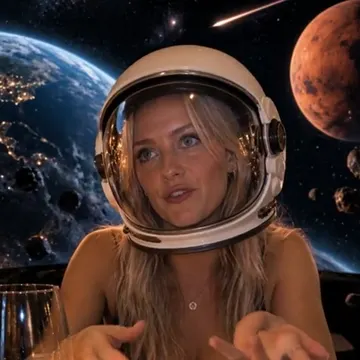

S14The Bugatti question
“So BizBox is gonna get me a Bugatti?”
LYFE STUDIO · BY BIZBOX
Storyboard it. Lock the characters. Render it shot by shot, and nothing goes in the film without your OK.
SCENE 02The job
This walkthrough uses existing Garage Dream footage. The interactive demo below replays sample takes; it does not generate video or contact a provider.
01 / 04
Every scene gets a card: its start frame, its end frame, its set and what is said. Scenes play top to bottom.
“So BizBox is gonna get me a Bugatti?”

He whispers “Bugatti” and drifts asleep. The song starts over the snore.

The black Bugatti on an empty PCH at sunset. Throttle, then flames.

He sings along to the song. Then a mosquito.
SCENE 03Try our demo
Lock the sample lead, load and approve each existing take, move scenes around or leave one out. Then assemble a sample cut in your browser.
Interactive sample: these Garage Dream takes already exist. The buttons preview and arrange them in your browser. This demo does not create footage, call a video provider, or connect an agent.

01 S14 · Garage
“So BizBox is gonna get me a Bugatti?”
Lock the lead first, so every shot uses the same face.

02 S16 · Garage
He whispers “Bugatti” and drifts asleep. The song starts over the snore.
Lock the lead first, so every shot uses the same face.

03 S17 · Pacific Coast Highway
The black Bugatti on an empty PCH at sunset. Throttle, then flames.
Lock the lead first, so every shot uses the same face.

04 S18 · In the car
He sings along to the song. Then a mosquito.
Lock the lead first, so every shot uses the same face.
THE FILM
SCENE 04The work
SHORT FILM
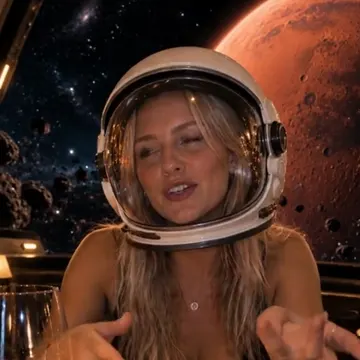
A dinner date that drifts into outer space. The same character in every shot: dinner, helmet, NASA suit.
THE LOOP
It waits for your OK. Approve it and it becomes the scene’s still. This is the real Requests screen.
SCENE 05The board
Every scene has a start frame, an end frame, its clips, its sound and what is said.
Upload clips, stills or sound straight onto the board.
Move a scene up or down. Leave one out without losing it.
Your own AI agent can edit the same board with your workspace key.
Tap Render the film. Then we look at it with you and fix what is off.
No. You work on the board in your browser, and the Render the film button makes the film from it.
It keeps the scene on your board but takes it out of the film. Tap Put back and it is in again.
Yes. If you made a connector key on your Workspace page, your agent can edit the same board, add files and ask for a render. It only sees your folder.
Tell us what is off. We fix it and you look again. That back-and-forth is normal. It is how it ends up right.
Parts of this are still being finished. Leave your email on any option and we will reach out.
Some parts are still being built. We tell you which ones before you buy.
Some parts are still being built. We tell you which ones before you buy.
Some parts are still being built. We tell you which ones before you buy.
BizBox membership. The tools for your own life are free: your Signs & Numbers reading, LYFE Health, your credit letters and the eviction binder guide. See the membership →
SCENE 06Your film
Your storyboard and files live in a private folder only you and BizBox can open.